01→
Open
Load a project and let FrameForge detect its narration, prompts, images, and settings.
FrameForge automates the repetitive work between your narration and a ready-to-edit DaVinci Resolve timeline.
Built for documentary, history, education, commentary, and faceless-video creators.
The problem
Great videos still demand creative judgment. But file naming, prompt tracking, image timing, repetitive motion, captions, and timeline assembly should not consume your best hours.
The workflow
FrameForge keeps your project moving from the first prompt to the moment you open DaVinci Resolve.
Load a project and let FrameForge detect its narration, prompts, images, and settings.
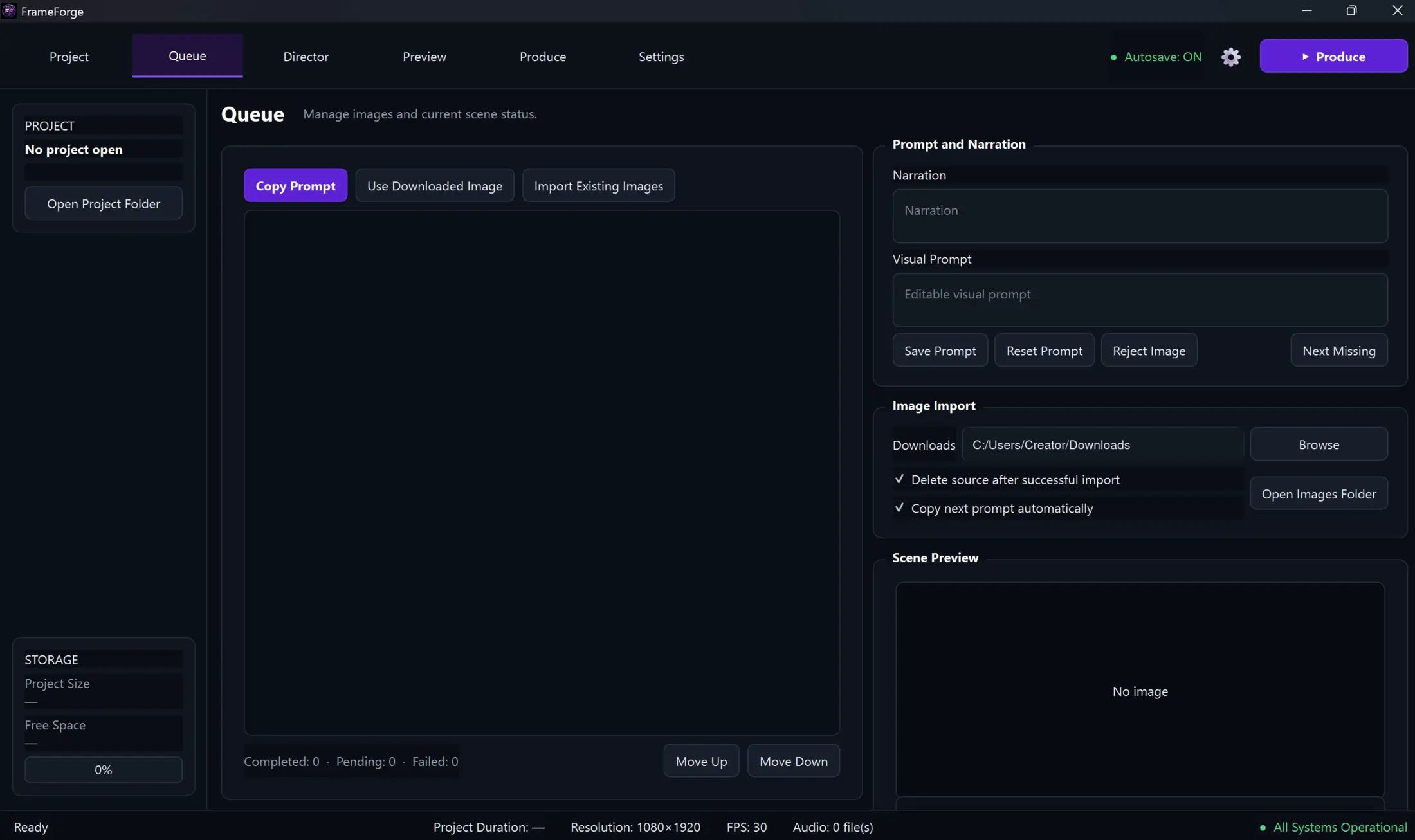
Generate or import images while Queue Mode keeps every scene in order.
Check timing, motion, caption styling, and any scenes that still need attention.
Render motion clips, align captions, and watch clear production progress.
Open the exported FCPXML and make the final creative decisions in DaVinci Resolve.
Built around real production
Purpose-built tools for image-based storytelling—working together in one focused desktop app.
Copy prompts, import downloaded images, clean up the original download, and move to the next scene automatically.
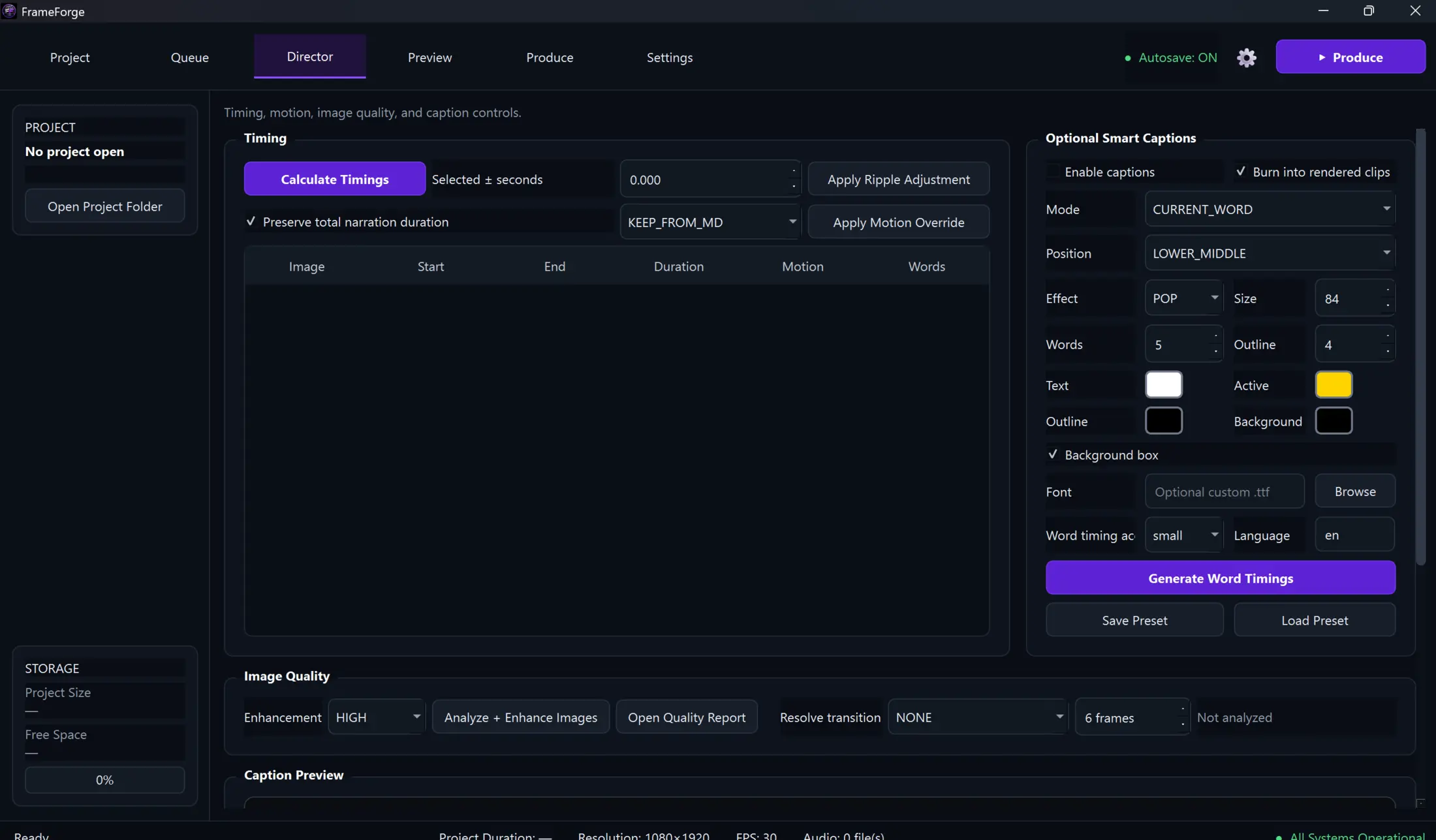
Calculate image timing from narration and make ripple adjustments without rebuilding the entire timeline.
Generate word timings, preview caption styling, and render current-word or phrase-highlight captions.
Apply consistent still-image motion without manually keyframing every scene.
Generate a DaVinci Resolve-compatible FCPXML timeline that is ready for your final edit.
Close FrameForge halfway through image generation and continue later from the first missing scene.
Director
Preview each scene, adjust motion, and shape captions in context. The Director keeps technical controls close without taking over the creative process.
Test FrameForge on real projects, report what slows you down, and influence what we build next.
Closed beta — free for approved testers.Current availability
View full Beta access details and future-edition information →
Help & documentation
Clear answers for setup, production, export, and troubleshooting—written around the way creators actually work.
No. FrameForge prepares and exports your organized timeline; DaVinci Resolve remains where you make the final creative edit.
Yes. You can work with pre-prepared assets, generated images, real photos, or a mix of all three.
Yes. FrameForge can work with multiple narration parts and prepare them as one project timeline.
Your project state is preserved so you can resume from the first missing scene instead of restarting the queue.
Yes. The closed beta is free for approved testers. Public pricing will be shared after the beta period.
Roadmap
Beta feedback determines priorities. The direction stays simple: fewer manual steps, safer projects, and better creative control.
Core queue, timing, captions, motion, and Resolve export.
Performance, usability, presets, packaging, and documentation.
Public availability and pricing after the product is beta-proven.
FrameForge community
Join the FrameForge Discord community for announcements, support, tutorials, release notes, and roadmap updates. Beta applications remain subject to approval.
Join DiscordContact FrameForge Labs
Send your message here—no email application required.
Message sent
Your message is on its way. FrameForge Labs normally replies within 1–2 business days.